
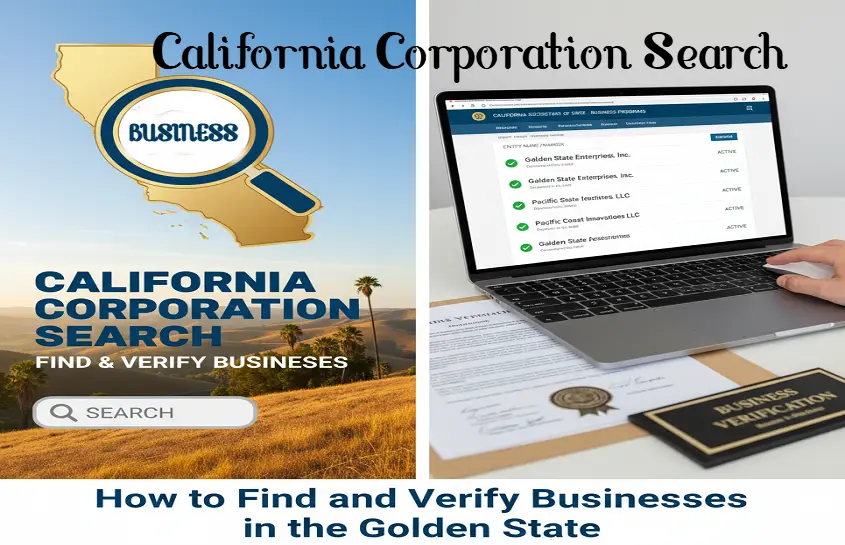
California is one of the largest and most dynamic business hubs in the world — home to tech giants, film studios, startups, and everything in between. Whether you’re launching your own company, researching a potential partner, or just verifying an existing business, you’ll eventually need to perform a California corporation search.
This process helps you confirm that a business name is available, check if a company is active or suspended, and gather key details about its registration.
In this article, you’ll learn how to conduct a state of California corporation search, the difference between an LLC and corporate search, and how to navigate the official state portal to get accurate information — all in plain English.
Why You Should Do a California Corporation Search
Running a California corporation search (also known as California company search or California corporate search) is one of the most important first steps in forming a business or verifying one.
Here’s why:
- To Avoid Duplicate Names: California law requires every registered business to have a distinguishable name. The Secretary of State will reject filings if your name is too similar to an existing corporation or LLC.
- To Check Legal Status: You can see whether a corporation is active, suspended, or dissolved. This is critical before signing contracts or partnerships.
- To Research Business History: Investors, vendors, and clients often use the search to confirm when a business was formed, who manages it, and where it’s located.
- To Prevent Trademark Conflicts: A quick name search can save you from future disputes and legal headaches.
In short, doing a California corporation search is a simple step that protects your business and reputation before you make your first move.
Who Maintains California Business Records?
In California, all business entity records are maintained by the Secretary of State’s office (SOS). Unlike some states that have a separate corporation commission, California centralizes corporate records, LLC filings, and partnership information under the SOS’s Business Programs Division.
So, if you’re searching for a “California corporation commission search,” what you really need is the California Secretary of State’s business entity search tool.
This online database contains every registered corporation, limited liability company (LLC), limited partnership, and nonprofit organization operating in the state.
Where to Perform a State of California Corporation Search
You can access the official database through the California Secretary of State’s website, specifically the BizFile Online platform.
Official Link: https://bizfileonline.sos.ca.gov
This is the state’s secure, public business search portal — completely free to use.
Using BizFile, you can:
- Search corporations, LLCs, and limited partnerships
- View registration status (active, suspended, cancelled, dissolved)
- Check the registered agent’s name and address
- Find filing dates and formation documents
- Download certificates and statements of information
It’s the only reliable tool for search California corporations or verifying a California company.
Step-by-Step Guide: How to Search California Corporations
Here’s a practical walkthrough on how to use the BizFile Online system effectively:
Step 1: Visit the SOS Business Search Page
Head over to https://bizfileonline.sos.ca.gov/search/business.
This is the main portal for performing your California corporate search.
Step 2: Choose Your Search Type
You’ll see a few options for searching:
- Corporation Name
- Entity Number
- LLC Name
- LP/LLP Name
For a corporation search, select the Corporation Name option.
Step 3: Enter the Name You Want to Search
Type in the business name you’re looking for — but don’t include punctuation or endings like “Inc.” or “Corp.”
For example, instead of typing “Sunrise Technologies Inc.”, just search “Sunrise Technologies.”
This ensures a broader match and helps you spot potential conflicts with similar names.
Step 4: Review the Results
The page will show a list of matching business entities. Each listing includes:
- Entity Name
- Entity Number (file number)
- Status (Active, Suspended, Dissolved, etc.)
- Jurisdiction (Domestic or Foreign Corporation)
- Date of Formation
If another business already uses your desired name — or something close to it — you’ll need to tweak your name before filing your own articles of incorporation.
Step 5: View Detailed Information
Click on the business name in the search results to open its detailed profile. You’ll find:
- Full legal name
- Business type (corporation, LLC, etc.)
- Entity number
- Formation date
- Registered agent information
- Principal office address
- Filing history (including Statement of Information)
This is especially helpful if you’re researching a potential client or partner and want to confirm they’re in good standing with the state.
Step 6: Interpret the Business Status
The “Status” column is key. Here’s what it means:
- Active: The corporation is in good standing and authorized to conduct business in California.
- Suspended / Forfeited: The business has fallen out of compliance — often due to unpaid taxes or missing filings.
- Dissolved: The corporation no longer exists legally.
- Cancelled: The entity’s registration has been formally withdrawn or terminated.
Avoid doing business with suspended or dissolved companies until they restore their status.
California Naming Rules for Corporations

Even if your search shows your desired name is available, it still has to follow state naming regulations.
Here are California’s main corporate naming rules:
1. Include a Corporate Designator
Your business name must end with a word or abbreviation that shows it’s a corporation, such as:
- Corporation
- Incorporated
- Company (Co.)
- Limited (Ltd.)
- Corp. or Inc.
2. Be Distinguishable
The name must not be “deceptively similar” to an existing entity on record. Adding punctuation or minor wording changes doesn’t make it unique.
For example, “Golden Coast Ventures Inc.” and “Golden Coast Venture Inc.” would be considered too similar.
3. Avoid Restricted Words
Words like Bank, Insurance, Trust, or University require extra approval or licensing.
You can’t imply affiliation with a government agency or use misleading terms such as “State” or “Federal.”
4. Reserve Your Name (Optional)
If you’ve found the perfect name but aren’t ready to incorporate yet, you can file a Name Reservation Request with the Secretary of State.
This holds your business name for 60 days while you prepare your official filings.
What You Can Learn from a California Company Search
The California company search is more than just a name lookup. It gives you detailed insights about corporations operating within the state.
Here’s what the search results can tell you:
- When the business was established — formation or registration date
- Who the registered agent is — their contact address and responsibilities
- Whether it’s in good standing — active and compliant with filing laws
- If it’s a foreign or domestic corporation — whether it was formed in California or another state
- Filing history — including annual Statements of Information and amendments
This information helps entrepreneurs, lawyers, and investors make informed decisions about partnerships, contracts, or acquisitions.
How to Use the Search for Due Diligence
If you’re investing in or working with a California company, you can use this search to verify:
- That the entity is legally registered and not fraudulent
- That its status is active with current filings
- That its registered agent is legitimate and reachable
- Whether it has a history of name changes or suspensions
For example, before signing a service contract with “Pacific Energy Group Inc.,” you could run a California corporate search and discover if the company is active and compliant — or if it’s suspended for unpaid taxes.
This small step can save you from major losses later.
Beyond Corporations: Searching LLCs and Partnerships
The California Secretary of State’s BizFile portal also covers LLCs, limited partnerships, and limited liability partnerships (LLPs).
If your goal is to form or research one of these, just select the appropriate entity type before you search.
Whether you’re checking a law firm partnership, a film production company, or a tech startup, the same system provides full transparency.
Common Mistakes When Doing a California Corporate Search

Here are a few pitfalls to avoid when performing your search:
- Assuming an “Inactive” name is free immediately. Sometimes dissolved names remain unavailable for a short period.
- Ignoring similar spellings or spacing. Even small differences may be rejected for lack of distinctiveness.
- Relying on third-party websites. Only the SOS database is official and up to date.
- Skipping trademark research. The state search doesn’t include U.S. trademarks — check USPTO.gov too.
- Not checking foreign corporations. A company formed in another state but registered in California will appear as a “foreign” corporation.
How to Form a Corporation After Your Search
Once you’ve confirmed that your business name is available, you can move forward with incorporation.
Here’s what to do next:
1. File Articles of Incorporation
- Submit online via BizFile Online.
- Pay the $100 filing fee (subject to change).
2. Appoint a Registered Agent
- Must have a California physical address (no P.O. boxes).
3. Create Bylaws
- Internal rules that govern management and operations.
4. Obtain an EIN from the IRS.
5. File the Initial Statement of Information
- Within 90 days of incorporation.
6. Stay Compliant
- File annual Statements of Information and pay the annual franchise tax.
Doing your California Corporation Search early helps ensure these steps go smoothly.
Conclusion on California Corporation Search
Conducting a California corporation search is one of the smartest, simplest steps you can take before starting a business. It’s free, fast, and available to anyone through the Secretary of State’s website.
By running a thorough state of California corporation search, you can verify if a name is available, check a company’s standing, and avoid expensive mistakes.
Whether you’re forming a startup in Los Angeles, registering a film studio in Burbank, or verifying a potential partner in Silicon Valley, the California corporate search tool gives you full visibility into the state’s business ecosystem.
And remember — a few minutes of research today can save you from legal trouble tomorrow.
FAQ: California Corporation Search
Q: Is the California corporation search free?
A: Yes — the Secretary of State’s online search tool is completely free for public use.
Q: What if I see multiple corporations with similar names?
A: You’ll need to choose a more unique name to avoid rejection.
Q: Can I see who owns the corporation?
A: Ownership details (shareholders) aren’t public, but you can see the registered agent and address.
Q: What’s the difference between a suspended and dissolved status?
A: A suspended company can be revived by filing missing documents or paying fees; a dissolved company no longer exists legally.
Q: Does California have a corporation commission?
A: No. The Secretary of State manages all corporate filings and records — not a separate commission.